Connect Databricks Fusion compatible
The dbt-databricks adapter is maintained by the Databricks team. The Databricks team is committed to supporting and improving the adapter over time, so you can be sure the integrated experience will provide the best of dbt and the best of Databricks. Connecting to Databricks via dbt-spark has been deprecated.
About the dbt-databricks adapter
dbt-databricks is compatible with the following versions of dbt Core in dbt with varying degrees of functionality.
| Loading table... |
The dbt-databricks adapter offers:
- Easier set up
- Better defaults: The dbt-databricks adapter is more opinionated, guiding users to an improved experience with less effort. Design choices of this adapter include defaulting to Delta format, using merge for incremental models, and running expensive queries with Photon.
- Support for Unity Catalog: Unity Catalog allows Databricks users to centrally manage all data assets, simplifying access management and improving search and query performance. Databricks users can now get three-part data hierarchies – catalog, schema, model name – which solves a longstanding friction point in data organization and governance.
To learn how to optimize performance with data platform-specific configurations in dbt, refer to Databricks-specific configuration.
To grant users or roles database permissions (access rights and privileges), refer to the example permissions page.
Warehouse permissions for Fusion
The Databricks user or service principal that dbt Fusion engine uses must have privileges on the catalog and schemas where models run, plus access required for metadata queries. Requirements depend on whether you use Unity Catalog or the legacy Hive Metastore.
Required Databricks objects
Before connecting, these objects must exist or be accessible:
| Loading table... |
Unity Catalog
Required access for the Unity Catalog:
| Loading table... |
Hive Metastore
Required access for the legacy Hive Metastore:
| Loading table... |
Metadata operations
The following are required for fundamental dbt features:
| Loading table... |
Python models
Optional permissions for environments using Python models
| Loading table... |
Connection fields
To set up the Databricks connection, supply the following fields:
| Loading table... |
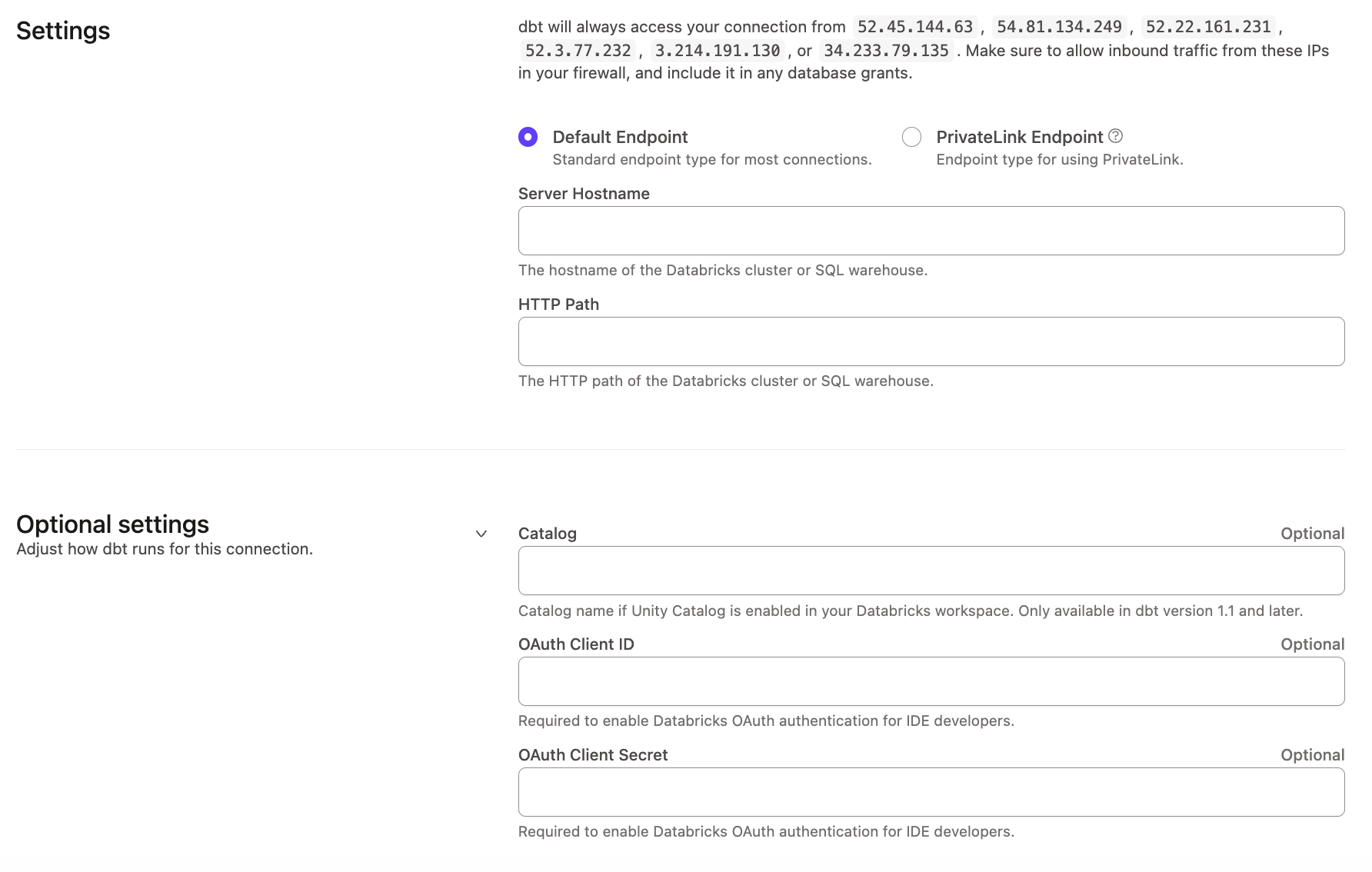 Configuring a Databricks connection using the dbt-databricks adapter
Was this page helpful?
This site is protected by reCAPTCHA and the Google Privacy Policy and Terms of Service apply.